
Squad Trader: Trade with Top Investors
Overview
Squad Trader is a free Android application developed by SquadTrader LLC, designed to support individuals interested in financial markets and investment opportunities. The app aims to empower users to engage in stock trading and portfolio management by connecting them with experienced traders and trusted financial markets. Its core purpose is to provide a platform where aspiring investors can learn, practice, and participate in real-time trading activities.
Target users include retail investors, beginners exploring financial markets, and individuals seeking to grow their wealth through active trading. The app is positioned as a tool for personal financial development, encouraging users to take initiative in building long-term investment strategies. Real-world use cases may include monitoring market trends, executing trades, tracking investment performance, and studying trading behaviors of more experienced participants.
While the developer emphasizes access to global financial markets and collaboration with top traders, no additional details about the company’s background or technical infrastructure were provided. The app is available exclusively on Android, with a release date of May 15, 2024. Users are encouraged to explore the platform to gain hands-on experience in trading environments.
Key Features & Capabilities
- Access to Global Financial Markets – Users can engage in trading activities across major financial markets, enabling exposure to diverse investment opportunities.
- Connection with Experienced Traders – The platform allows interaction with skilled traders, potentially offering insights into market behavior and strategy development.
- Portfolio Tracking Tools – Built-in utilities help users monitor their investment performance, track gains and losses, and manage asset allocation.
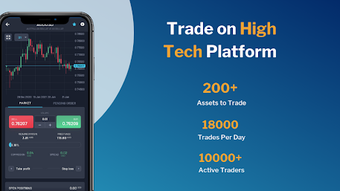
- Real-Time Trading Interface – A responsive interface supports live trading, allowing users to execute buy and sell orders based on current market conditions.
- Learning Resources – The app includes educational materials to support new users in understanding trading fundamentals and risk management.
These features are intended to support users in making informed decisions, improving their trading skills, and building confidence in financial markets. For example, a beginner investor might use the portfolio tracker to assess performance over time, while an intermediate user could study the strategies of top traders to refine their own approach. The app’s focus on community-driven learning and market access makes it suitable for users seeking both practical experience and educational value.
User Interface, Workflow & Performance
The user interface of Squad Trader appears to be structured for intuitive navigation, with an emphasis on ease of use for both new and experienced users. The layout likely prioritizes quick access to trading functions, market data, and portfolio summaries. Navigation is expected to follow standard mobile app patterns, such as bottom navigation bars or side menus, to ensure smooth transitions between sections.
Workflow efficiency depends on how well the app integrates its features into a cohesive experience. Users can expect to perform tasks like checking market prices, placing trades, and reviewing performance with minimal steps. However, exact performance metrics such as load times, CPU usage, or memory consumption were not specified by the developer.
Stability and responsiveness are assumed to be aligned with typical Android applications of similar scope. The app’s size of 45 MB suggests a lightweight footprint, which may contribute to efficient operation on a range of devices. The developer did not provide detailed information about resource usage or background behavior, so users should monitor performance based on their own device conditions.
Compatibility & System Requirements
Squad Trader is compatible with Android devices, as confirmed by the developer. The app is available for download on the Android platform, with no indication of support for iOS or desktop operating systems. The software version is 1.0.1, released on May 15, 2024, and has a file size of 45 MB.
Exact system requirements were not listed, including minimum Android version, RAM, or processor specifications. Compatibility information is limited to the operating system type. Users should ensure their device meets standard Android app requirements for installation and operation. The developer did not specify whether the app requires an internet connection or supports offline functionality.
Pros and Cons
Pros
- Free to download and use, reducing entry barriers for new investors.
- Designed for Android, making it accessible to a wide mobile user base.
- Offers access to global financial markets and top traders.
- Includes tools for portfolio tracking and market monitoring.
- Lightweight at 45 MB, suitable for devices with limited storage.
Cons
- Limited to Android; no support for iOS or desktop platforms.
- Exact system requirements and performance details were not provided.
- No information on data security practices or encryption methods.
- Availability of real-time trading features depends on market and network conditions.
- Learning resources may vary in depth and quality without user feedback.
FAQ Section
Is Squad Trader available for iOS devices?
Currently, the app is only available for Android. There is no official release for iOS devices.
Does Squad Trader require an internet connection to function?
Yes, the app requires an active internet connection to access financial markets, execute trades, and receive real-time data.
Is the app safe to use?
Squad Trader is developed by SquadTrader LLC and available through official Android channels. However, no specific security or privacy details were provided by the developer.
How often are updates released?
The latest version, 1.0.1, was released on May 15, 2024. The update frequency is not publicly disclosed.
Can I use Squad Trader without a trading account?
While the app enables access to financial markets, the ability to trade may require an associated account or verification process, which is not detailed in the provided information.
Final Thoughts + CTA
Squad Trader presents a promising entry point for individuals eager to explore stock trading and investment on Android. Its focus on connecting users with top traders and offering access to global financial markets addresses a growing demand for accessible, educational, and interactive investment tools. The free pricing model lowers the barrier to entry, making it particularly appealing to beginners and self-directed learners.
While the app lacks detailed technical specifications and cross-platform availability, its lightweight design and targeted features suggest a practical approach to mobile trading. Users seeking a straightforward, no-cost way to engage with financial markets should consider Squad Trader as a viable option.
Download Squad Trader now






.png)
